
Type in অসমীয়া on Any Website
Write emails, browse social media, fill out forms, or chat in Assamese directly inside your browser. No copy-pasting required—install the free extension for Google Chrome.
Add to Chrome — It's Free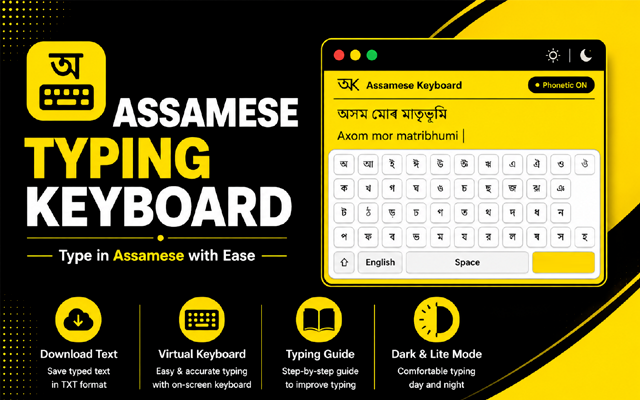
Extension Features

-
Phonetic & InScript Layouts
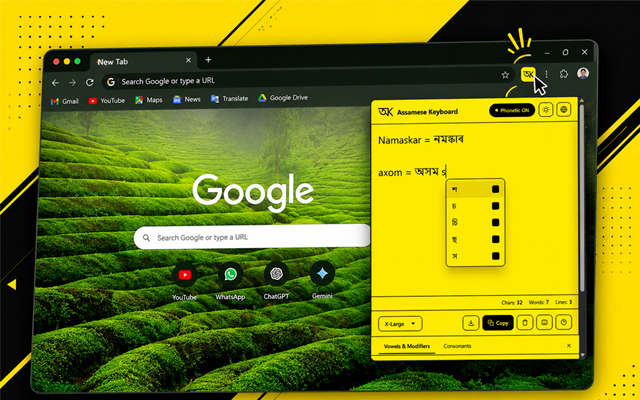
Type phonetically using English letters (e.g., "axom" to get "অসম") or use the standard InScript keyboard mapping.
-
On-Screen Virtual Keyboard
An interactive virtual keyboard overlay helps you find and insert character modifiers, vowels, and consonants easily.
-
Instant Floating Pop-up
Access the typing tools from anywhere with a single click of the extension icon in your browser toolbar.
-
Dark & Light Modes
Type comfortably with dynamic theme support tailored to match your system or personal preference.
-
100% Free & Offline Friendly
No account required, no ads, and runs entirely in your browser offline. Your typed text never leaves your device.
Quick 3-Step Setup
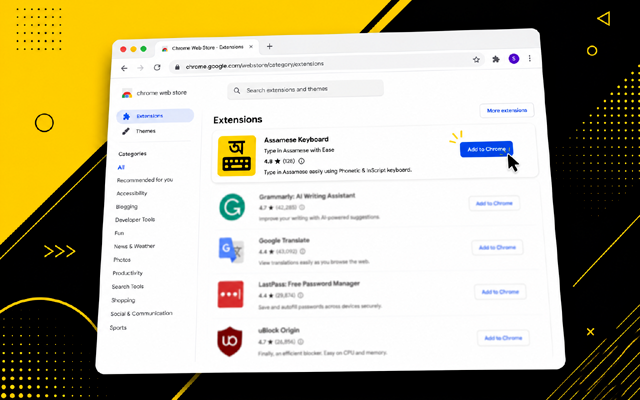
Install Extension
Visit the Chrome Web Store and click the "Add to Chrome" button to download and install the extension.
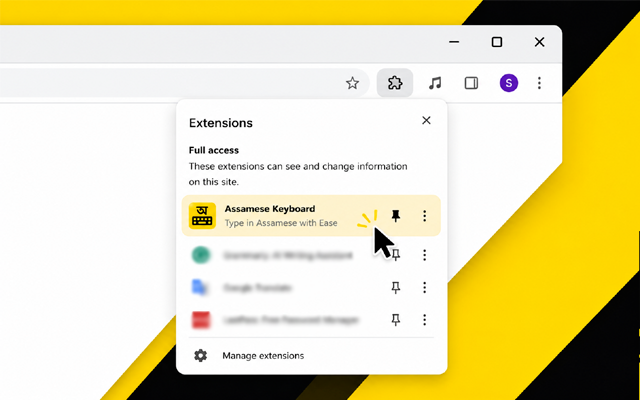
Pin the Extension
Click the Puzzle Icon in the top-right toolbar, then click the Pin icon next to Assamese Keyboard for quick access.
Click & Type!
Click the extension icon in your toolbar, type in Assamese, and use the smart tools like Auto Save and Word Count.
Ready to make typing in Assamese easier?
Boost your productivity and type comfortably on any site with the Assamese Keyboard extension.
Install Chrome Extension